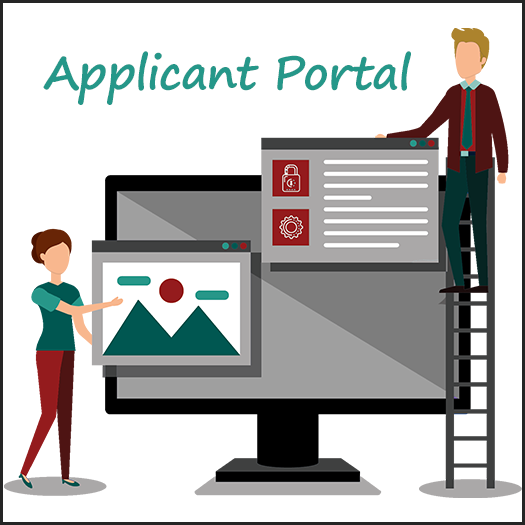
Building an applicant portal in Salesforce that supports all programs can seem complex.
Many institutions need a single portal that serves undergraduate, graduate, continuing education, and other programs while still delivering a personalized experience to each applicant.
Why It’s Challenging to Build an Applicant Portal in Salesforce
Admissions portals must handle a wide range of requirements.
For example, institutions often need to:
- Serve multiple programs and applicant types
- Display different content based on user context
- Adjust forms and fields dynamically
- Maintain consistent branding across experiences
Because of this, many schools end up creating multiple portals or application paths.
A Better Approach: One Dynamic Portal
Instead of managing multiple portals, institutions can build an applicant portal in Salesforce that adapts based on the user.
With the right configuration, a single portal can:
- Display relevant content based on applicant type
- Adjust branding and layout dynamically
- Serve different forms and workflows
- Guide users through a personalized journey
As a result, institutions can simplify both the user experience and system management.
Key Components of a Scalable Applicant Portal
To support a dynamic and scalable portal, institutions should focus on several core components.
These features act as the foundation for building an adaptable experience:
- Templates: Control branding elements such as headers, footers, and fonts
- Homepages: Deliver dynamic content tailored to each applicant
- Pages: Manage forms and content with flexible configuration
- Login Pages: Configure access points with branding and duplicate management
- Version Control: Deploy updates safely and maintain consistency
Together, these components allow institutions to build and maintain a flexible portal without unnecessary complexity.
Creating a Personalized Applicant Experience
With full control over these elements, institutions can create a portal that changes based on who is using it.
For example:
- Different applicants can see different branding or content
- Homepages can adapt based on program or stage in the journey
- Forms can display only the fields relevant to each user
- Login experiences can guide users to the correct path
As a result, applicants receive a more relevant and engaging experience.
One Link to Rule Them All
When a portal is fully dynamic, institutions no longer need multiple application links.
Instead of separate entry points, they can offer a single “Apply Here” link that:
- Routes users based on their profile or selections
- Adjusts the experience automatically
- Simplifies navigation and reduces confusion
This creates a cleaner, more intuitive experience for prospective students.
Improve Your Applicant Portal Strategy
By building an applicant portal in Salesforce with dynamic controls, institutions can:
- Simplify system architecture
- Reduce maintenance and duplication
- Improve the applicant experience
- Support all programs within one platform
Ultimately, a unified portal leads to better engagement and stronger enrollment outcomes.
Learn More
Enrollment Rx helps colleges and universities build scalable applicant portals in Salesforce with flexible, configurable tools.
Learn more about Enrollment Rx: https://www.enrollmentrx.com
For more information on Salesforce Experience Cloud, visit: https://www.salesforce.com/products/experience-cloud/
Take the Next Step
If your institution is looking to simplify its portal strategy and improve the applicant experience, it may be time to move toward a unified approach.
Schedule a demo to see how Enrollment Rx can support your applicant portal strategy.