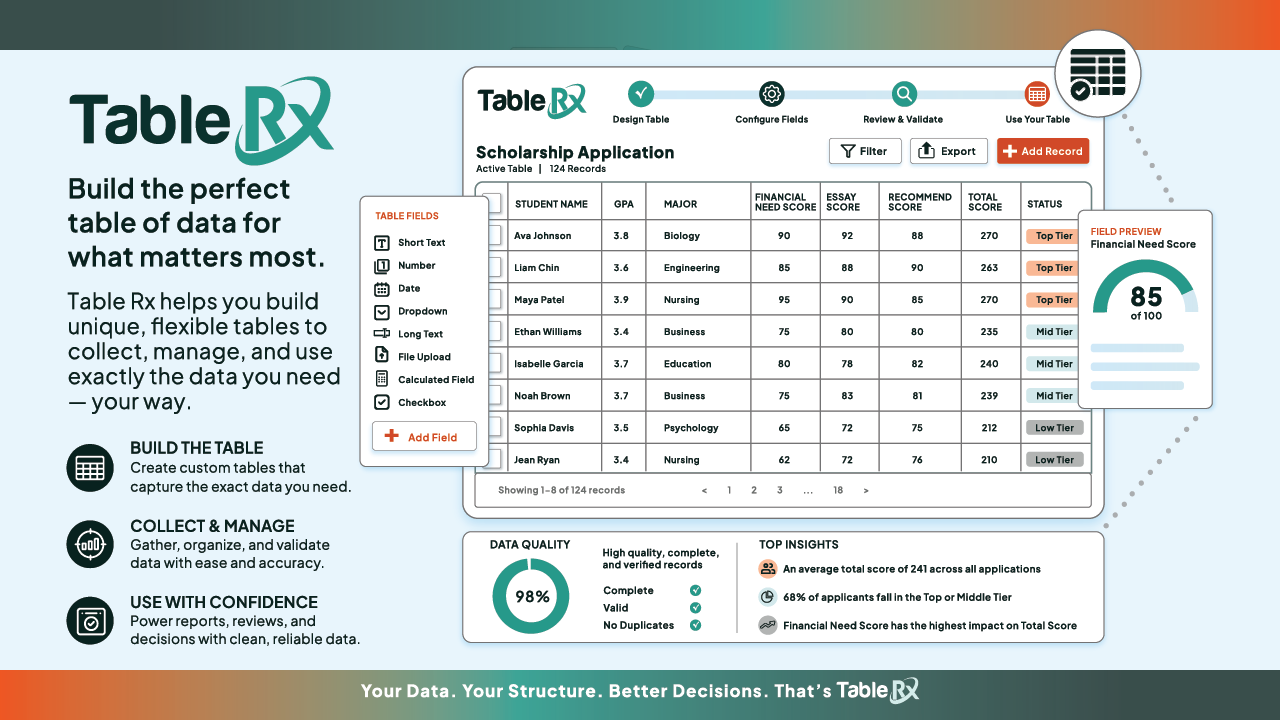
We are excited to introduce Table Rx, the newest addition to Enrollment Rx Core. It does one thing extremely well: it lets you build the exact data tables your team needs, right inside Salesforce, without writing a single line of code.
If you have ever stared at a Salesforce list view and thought “this is almost what I need, but not quite,” this one is for you.
The problem: a simple table is never simple
Here is a scene that plays out in just about every Salesforce org.
Someone asks for a table. Nothing fancy. Just a list of records, a couple of fields from a related record, a filter or two, and maybe a button that kicks off a process. Sounds like a five minute job.
Then you actually try to build it. Standard list views will not show fields from a related record. They will not let you add a button that does something. They will not filter across objects the way you need. So the “quick” table becomes a development request, and that request joins the queue behind everything else.
Multiply that by every table your team has ever asked for, and you start to see the real cost. Not one big project, but a steady drip of small ones that each need just enough custom work to never be quick. The people who know exactly what the table should do are stuck waiting on someone else to build it.
The solution: build it yourself, with clicks
Table Rx closes that gap. Instead of coding a new table every time, you configure one.
You pick the object, choose your columns, set your filters, add your buttons, and place the table wherever you need it. Point and click. No developer, no backlog, no waiting.
That is the whole idea: the person who needs the table can build the table.
What you can do with it
A few things that used to mean custom development, now just work:
- Show related data. Pull in fields, counts, and yes or no checks from related records, right in your columns.
- Filter the way you actually work. Give users their own filters, or quietly scope the data behind the scenes. Fast on small lists, scalable on big ones.
- Turn a table into an action. Add buttons that launch a Salesforce Flow straight from a row, so people can get work done without leaving the table.
- Search, sort, and export. Including exports that respect whatever filters someone just applied.
- Make it yours. Match your colors, fonts, and style so every table looks like it belongs.
And because one framework powers all of it, every table looks and behaves consistently across your org.
Why it matters
The payoff is simple. Tables that used to take days or weeks now take minutes. Your admins stop filing tickets and start shipping. Your developers get their time back for the work that really needs them. And your org stops collecting a pile of one-off components that nobody wants to maintain.
It all runs natively inside Salesforce, with the security and permissions you already trust.
See it for yourself
Table Rx is available now as part of Enrollment Rx Core. If your team has been working around the limits of standard Salesforce tables, this is the upgrade you have been waiting for.
We would love to show you what it can do with your own use cases. Book 15 minutes here: https://erx-demo.youcanbook.me/, or fill out the form on the Table Rx page and we will reach out.
Follow us on LinkedIn for insights on Higher Education, Salesforce, Admissions, and Enrollment Management. For product walkthroughs and demos, visit our YouTube channel: https://www.youtube.com/@EnrollmentRx