We are excited to introduce Rubric Rx, the newest addition to the Enrollment Rx family. It does one thing extremely well: it turns the way your team scores and ranks records into something consistent, transparent, and automated, right inside Salesforce, without a spreadsheet in sight.
If you have ever opened a scoring spreadsheet and realized the numbers no longer match the criteria everyone agreed to, this one is for you.
The problem: your scoring model lives in the wrong place
Here is a scene that plays out at just about every organization.
The rubric that decides who gets reviewed first, who gets the reviewed first, who gets the prioritized, and who gets the offer is one of the most strategic things the team owns. And it usually lives in a spreadsheet that three people edit and no one fully trusts.
It is not that the spreadsheet is wrong. It is that the model and the decision live in two different places. The criteria sit in an offline file. The decision happens in Salesforce. The bridge between them is a person re-entering numbers by hand, and that person becomes the bottleneck every peak cycle.
The costs add up quietly. Reviewers apply the same criteria differently. A mid-cycle weighting change means re-scoring everyone by hand, so teams avoid changes they know they should make. And when leadership asks why an applicant ranked where they did, the answer is a spreadsheet cell instead of something you can defend to leadership.
The solution: build the rubric, let Salesforce do the scoring
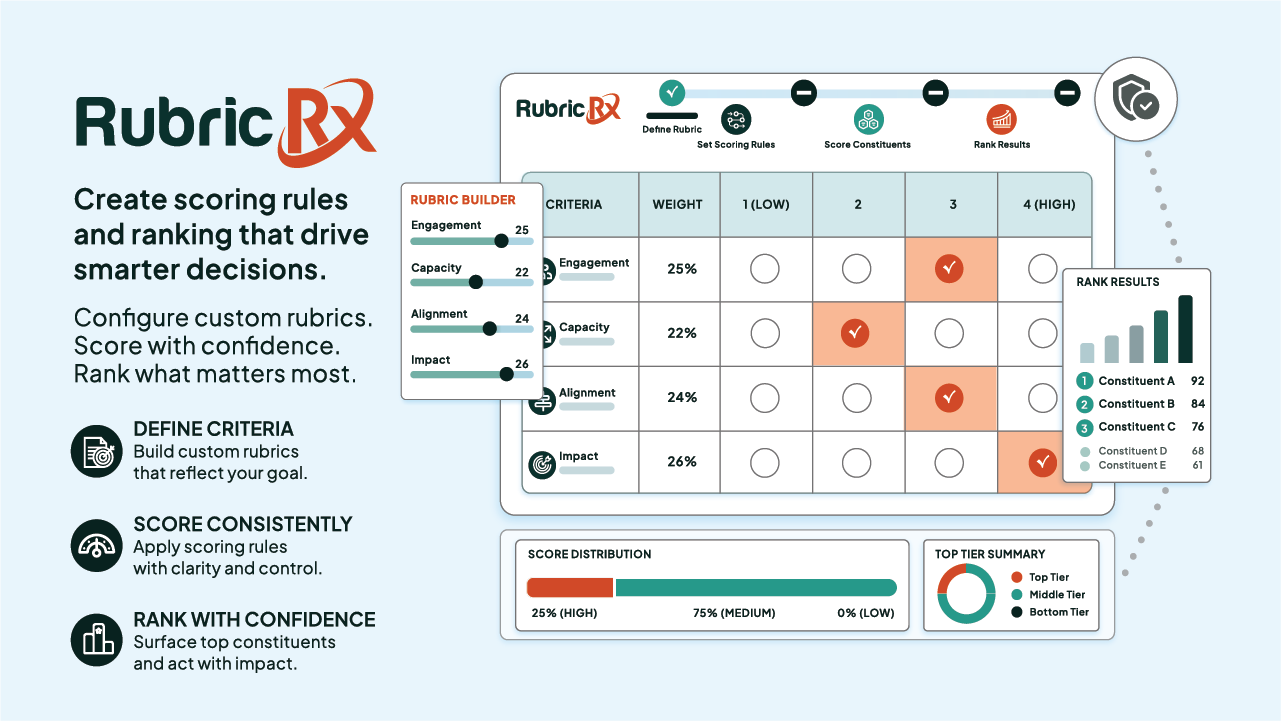
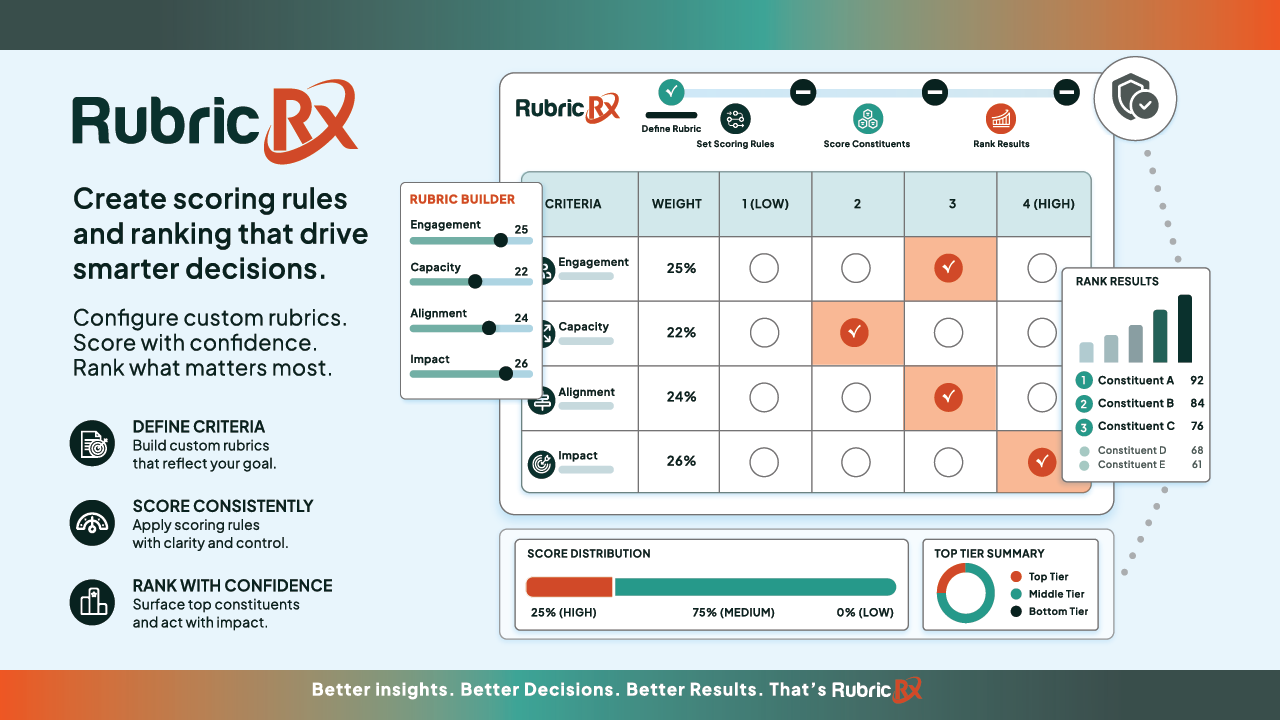
Rubric Rx closes that gap. Instead of maintaining your scoring model in a separate file, you build it once, through clicks, right on the platform where the decisions get made.
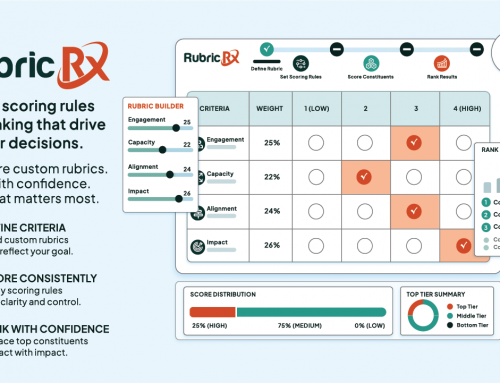
You define the rule groups, set the weighted criteria and condition logic, add your grade bands, and the engine scores records against the latest data automatically. No developer, no custom code, no manual re-entry.
That is the whole idea: the people who own the scoring model get to build it, change it, and trust it.
What you can do with it
A few things that used to mean spreadsheets and manual work, now just happen in Salesforce:
- Build your own rubric. Rule groups, weighted criteria, custom condition logic, and grade bands, all configured through clicks.
- Score in real time and in batch. Records score on save, and a single batch re-scores the full population the moment your criteria change.
- See the why, not just the number. A breakdown on each record shows what passed, what failed, and where the record ranks against the rest.
- Act without leaving the page. Launch a Flow straight from a report to move on your top records, from outreach to next steps.
- Take it with you. Export an entire rubric as JSON and import it cleanly into another sandbox or org.
And because it all lives on the Salesforce record, your scoring, ranking, and history stay in one place, ready for reporting and automation.
Why it matters
The payoff is simple. Scoring becomes consistent across every reviewer and every group. Criteria changes that used to mean a painful re-grade now take one batch. Every ranking comes with a reason you can stand behind. And the strategic model that drives your biggest decisions finally lives where those decisions actually get made.
It all runs natively inside Salesforce, with the security and permissions you already trust.
See it for yourself
Rubric Rx is available now as part of the Enrollment Rx family. If scoring and ranking at your organization still runs on spreadsheets and manual re-entry, this is the upgrade you have been waiting for.
We would love to show you what it can do with your own process.
Book 15 minutes here: https://erx-demo.youcanbook.me/, or fill out the request-info form on the Rubric Rx page and we will reach out.
Follow us on LinkedIn for insights on Higher Education, Salesforce, Admissions, and Enrollment Management. For product walkthroughs and demos, visit our YouTube channel: https://www.youtube.com/@EnrollmentRx